
Available
Focus Tracker
$5 USD1-day free trial before purchaseTrack focus time, monitor app usage and test the complete productivity workflow with a one-day free trial.
Deep work sessionsStudy planning

Explore 12 Windows apps for AI model comparison, focus and study, Excel productivity, trade journaling, workspace automation, file search and creative tools, with official downloads and real interface previews.
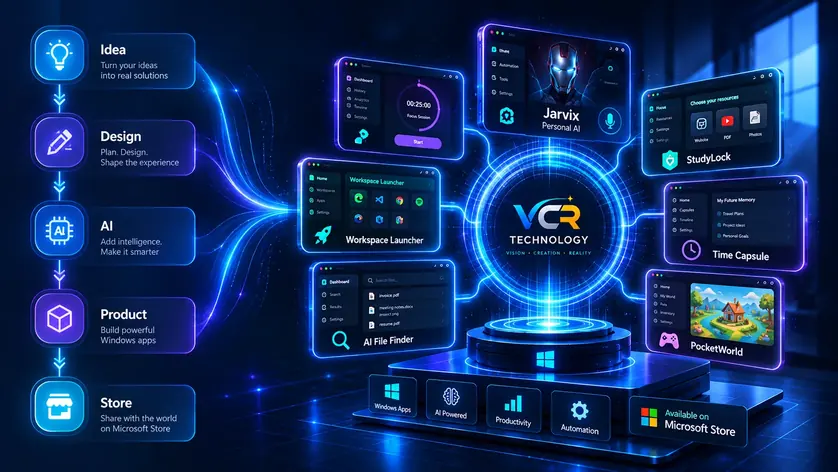
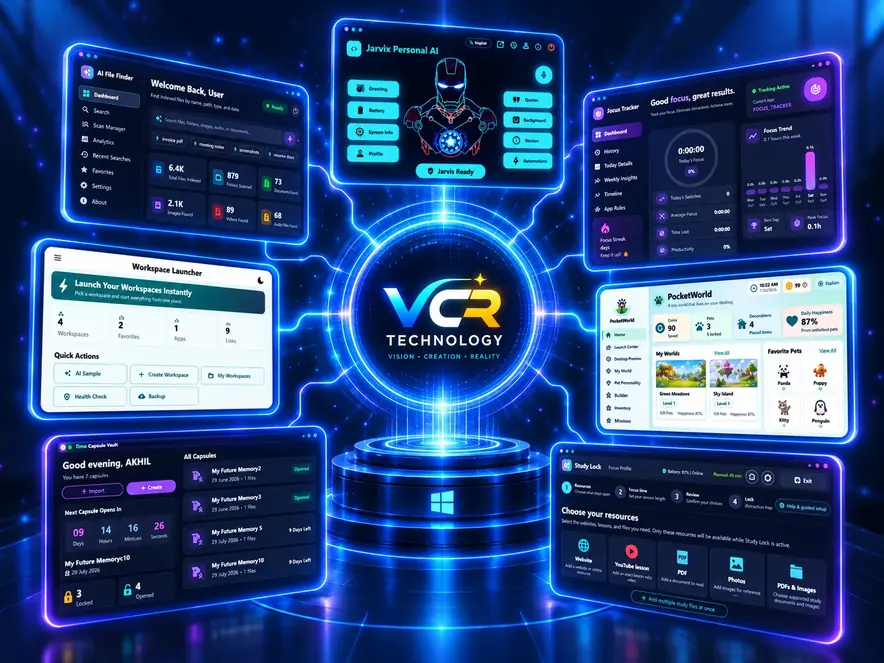
We are an independent software studio focused on practical digital products: productivity tools, AI assistants, learning apps, and automation systems that make everyday work easier.
Every product is shaped with modern engineering, clear design, reliable performance and a strong sense of ownership from concept to launch.
The current portfolio includes multi-model AI software, focus and distraction controls, Excel shortcuts, trade journaling, file search, reusable workspaces and creative Windows experiences. Each product page includes real screenshots, practical workflows, support guidance and its official Microsoft Store destination.
Turning practical ideas into focused apps with real-world value.
Using intelligent workflows to improve speed, discovery and automation.
Designing, shipping and improving products with end-to-end ownership.
Building connected tools for AI, study, Excel, trading, productivity and creative work.
We combine technology, creativity and AI to turn useful ideas into software people can trust every day.
Our vision is to create a portfolio of polished software products that help people work smarter, learn faster and automate repetitive digital tasks with confidence.
Our mission is to design reliable applications that solve clear problems, use intelligent workflows responsibly, and deliver a premium experience from first click to daily use.
A growing collection of polished software products for productivity, automation, AI assistance, learning, creative effects and everyday digital experiences.
Track focus time, monitor app usage and test the complete productivity workflow with a one-day free trial.
Launch complete work environments instantly with apps, files, folders and websites ready to go.

Choose assistant voices, use eleven supported languages, unlock Jarvix with supported face recognition, control the pointer with camera gestures and automate everyday Windows tasks.

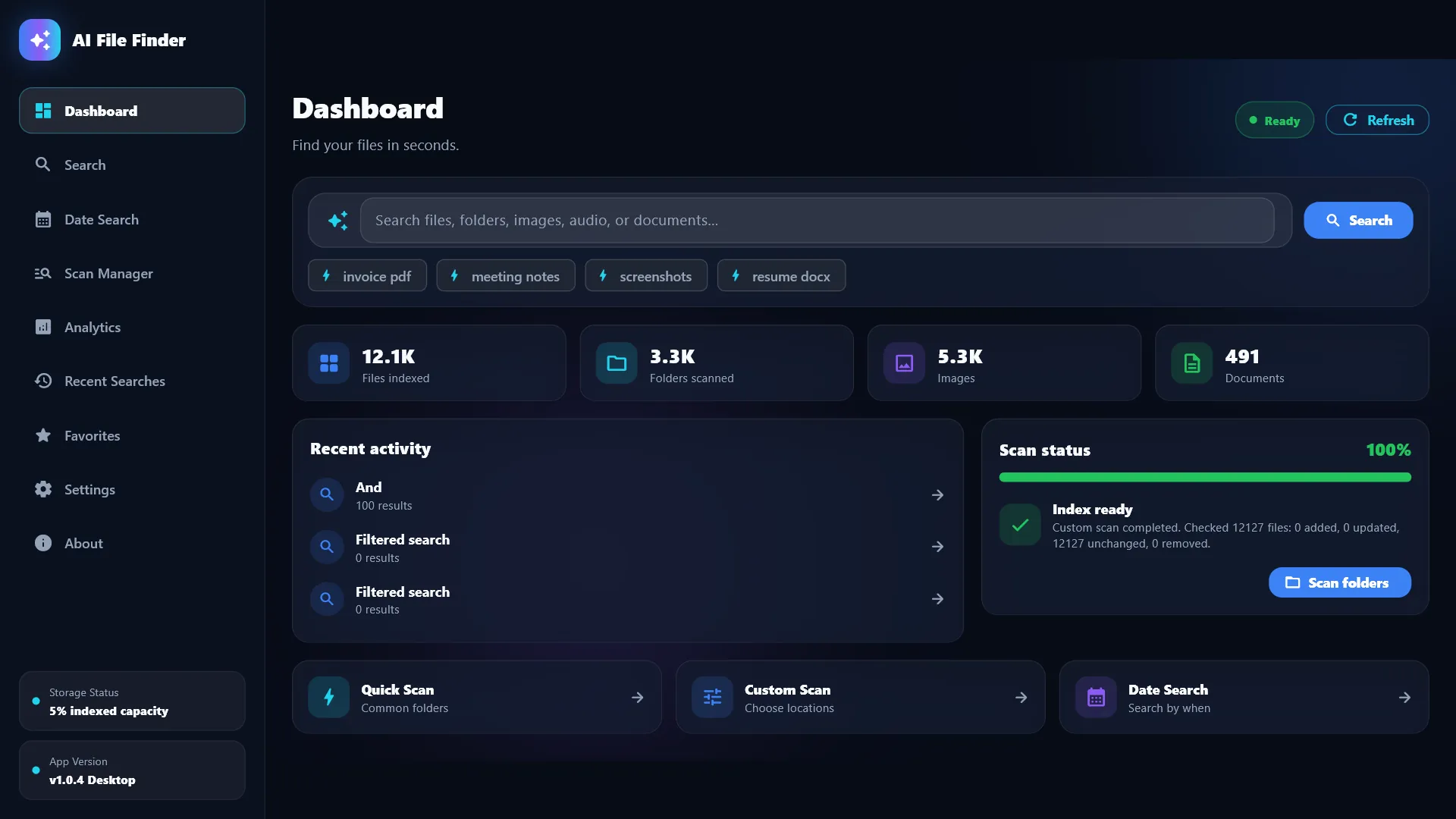
Search files from today, yesterday, a week, month, specific date or custom range, then combine date, type and location filters.

Preserve important memories, files and personal records inside a simple digital vault.

Solve clues, follow riddles and enjoy quick treasure-hunt challenges built for curious players.

Explore a compact digital world made for quick interactions, discovery and everyday fun.

Use OpenAI, Claude, Gemini and local Ollama models in one app with side-by-side comparison, history and secure key storage.

Format, organize, analyze and clean Excel selections with ten convenient tools, previews and live editability checks.

Use strategy templates, an always-on-top trade entry window, analytics, calendar review, CSV reports and JSON backups.

Plan focused study sessions with editable profiles, goals, selected learning resources, a protected browser, optional Presence Mode and parent-friendly reports.

Apply dramatic themed power effects and stylized camera scenes for fun visual transformations.
Use clear tutorials for Windows AI, file discovery, productivity and focused study workflows.
When a file name is forgotten, the fastest solution is usually to narrow the location, use the detail you still remember and check whether Windows has indexed the folder. These methods work without installing another app.
Read article
The best Windows AI app depends on the job, the data it can access and whether processing happens locally or through an online provider. This guide compares useful categories instead of claiming one tool is best for everyone.
Read article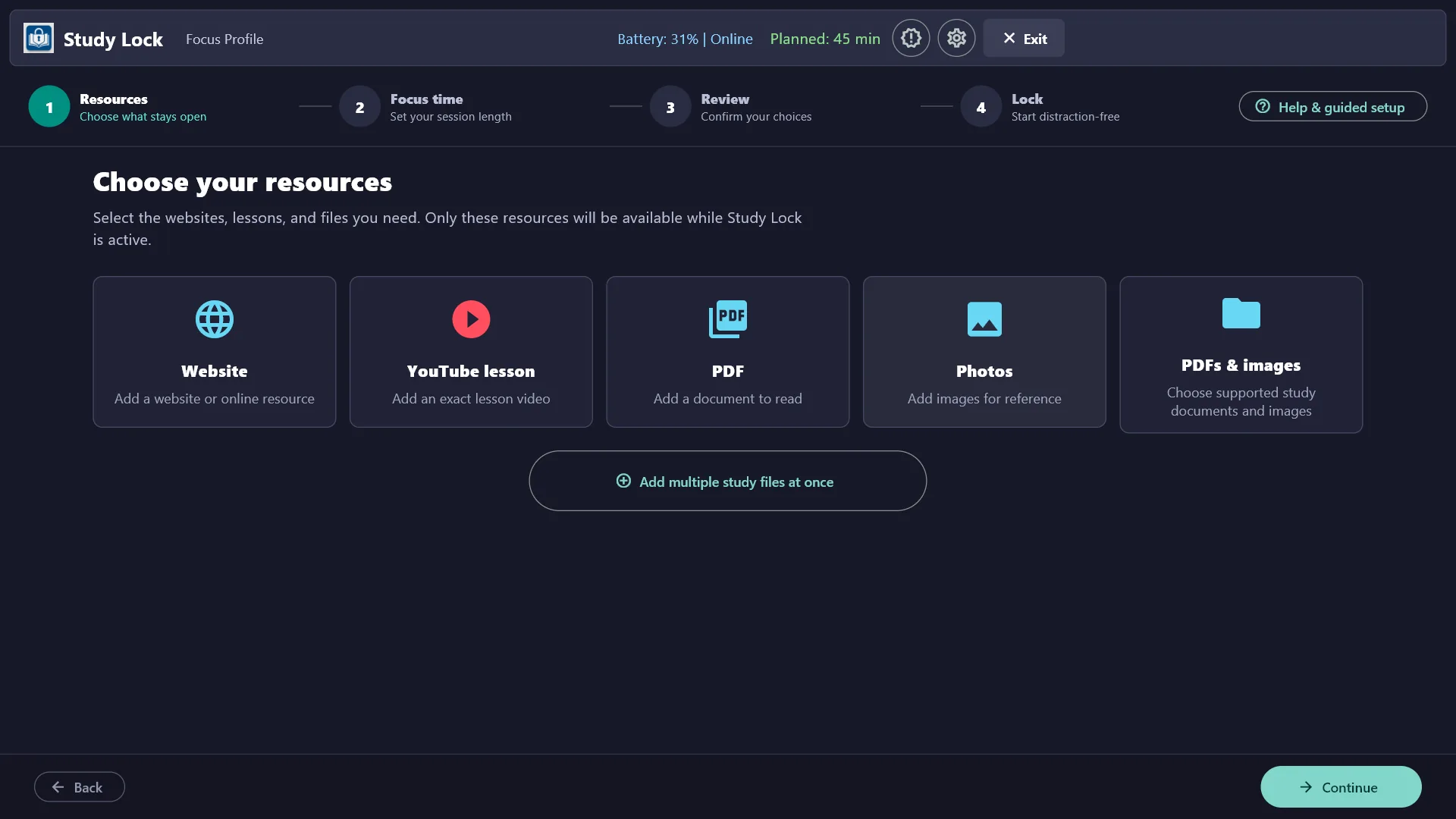
Blocking everything is rarely a useful study plan. A stronger approach is to prepare the resources you need, reduce predictable interruptions and decide how the session can end before the timer starts.
Read articleA polished guide for choosing between productivity tools, AI assistants, study support, storage utilities, games and creative camera experiences.
Compare each app by outcome, ideal user, category and Store status before opening the full product page.
Focus Tracker, Quick Tools for Excel, Trading Journal Desk and One Click Workspace help users work faster and review results.
Jarvix Personal AI, AI Models Hub and AI File Finder cover assistance, model comparison and smarter search.
Study Lock 2.0 and Time Capsule Vault support learning discipline, preservation and personal record keeping.
Super Power Camera, Pocket World and Treasure Hunt Riddles add visual fun, discovery and game-style interaction.
| Product | Category | Best For | Key Value | Strength | Store |
|---|---|---|---|---|---|
| Focus TrackerUnderstand your focus time with a one-day free trial before purchase. | Productivity | Deep work, study sessions and daily focus review | Turns work time into clear usage insights and productivity patterns. | Focus analytics | Store |
 One Click WorkspaceLaunch your complete work setup instantly. | Workspace Setup | Developers, students and office routines | Opens apps, files, folders and websites as one repeatable workspace. | One-click launch | Store |
 Jarvix Personal AIControl Windows with voice, optional local AI, connected apps, camera tools and Android workflows. | Voice & AI Assistant | Multilingual Windows control, connected apps and phone workflows | Combines natural voice commands, optional local AI, offline languages and reusable automation. | Voice automation | Store |
| AI File FinderFind indexed Windows files by name, type, location or activity date. | Smart Search | Finding documents, downloads and project files faster | Uses smarter scanning and discovery flows to reduce file-search friction. | File discovery | Store |
 Time Capsule VaultA simple vault for memories, files and important records. | Storage | Memories, records, keepsakes and personal archives | Provides a clean vault-style flow for preserving important files. | Digital vault | Store |
 Treasure Hunt RiddlesA riddle-based game for curious, playful thinking. | Games | Puzzle play, riddles and casual adventure challenges | Makes riddle solving feel like a guided adventure experience. | Puzzle quests | Store |
 Pocket WorldA compact digital world for discovery and light interaction. | Lifestyle | Light interaction, discovery and playful digital spaces | Offers a compact world dashboard for casual exploration and modules. | Interactive world | Store |
| AI Models HubChat with, compare and manage cloud and local AI models from one Windows workspace. | AI Models | Comparing cloud and local AI responses | Combines OpenAI, Claude, Gemini and Ollama workflows in one desktop hub. | Model comparison | Store |
 Quick Tools for ExcelRun everyday Excel actions faster from a floating one-click command wheel. | Excel Tools | Spreadsheet cleanup, formulas and formatting | Keeps ten common Excel actions close to the active selection. | One-click Excel tools | Store |
 Trading Journal DeskBuild a custom trade journal, capture chart evidence and review performance without connecting a broker. | Trading Journal | Trade records, strategy review and performance tracking | Connects detailed trade records with win rate and profit and loss summaries. | Trade analytics | Store |
 Study Lock 2.0Create private, protected study sessions with approved resources, distraction controls and detailed reports. | Protected Study | Exam preparation, lessons, reading and parent-supported study routines | Combines approved resources, focus profiles, distraction controls and detailed private reports. | Protected sessions | Store |
 Super Power CameraA creative camera experience with cinematic power effects. | Creative Camera | Visual effects, themed previews and social content ideas | Adds cinematic power effects and stylized camera transformations. | Camera effects | Store |
A professional software presence needs trust, clarity and proof. VCR Technology brings product thinking, Microsoft Store distribution and a focused AI-first direction together.
Published products with direct Store links, clear availability and simple installation paths.
Tools are designed around practical workflows, focused interfaces and everyday reliability.
The portfolio keeps growing with AI, automation, productivity, study and utility apps.
We choose practical, modern tools that help products feel quick, stable, maintainable and ready for real users.
Fast component-driven web interfaces with reusable product systems.
Cross-platform desktop and mobile experiences from one expressive stack.
Automation, data processing, AI workflows and backend services.
High-performance APIs for reliable product backends and integrations.
Authentication, cloud data and real-time product infrastructure.
AI-powered assistants, search, productivity flows and automation.
Predictive systems and intelligent data handling for smarter apps.
Professional Windows apps designed for Microsoft Store distribution.
Clear answers for users, customers and collaborators who want to understand the apps and support process.
Most products are available through Microsoft Store. Use the Microsoft Store button on each product card or product page. Apps without a link are marked clearly until the Store URL is added.
Yes. Product pages now use screenshots from the local screenshots folder so visitors can see the actual interface and functionality.
Use the support page or email buildwithvcr@gmail.com with the product name, device details and a short description of the issue.
Yes. Feature suggestions are welcome, especially when they describe the real workflow or problem you want improved.
Focus Tracker combines focus sessions, app usage history and daily productivity analytics in a Windows app.
One Click Workspace lets you save reusable workspace profiles containing apps, files, folders and websites, then launch the setup from one dashboard.
AI File Finder scans selected folders, builds a local index and searches by filename, file type, location or date. Date Search can combine activity dates with type and location filters.
AI Models Hub supports multi-model chat, side-by-side response comparison, local Ollama models and searchable saved runs from one Windows workspace.
Quick Tools for Excel adds a floating command wheel with ten tools for formatting, cleanup, formulas, analysis, sorting, freezing and other common spreadsheet work.
Trading Journal Desk records trades with custom templates, notes and screenshots, then reviews net profit and loss, win rate, profit factor, drawdown, sessions, strategies and discipline. It also supports CSV reports and JSON backups.
Yes. Jarvix Mobile is the Android companion for Jarvix Personal AI on Windows. It connects supported phone actions such as opening apps, starting calls and controlling music.
Have an app idea, collaboration request or product question? Send a message and we will turn the next step into something clear.
buildwithvcr@gmail.com
Product help, bug reports and feature requests
Hyderabad, Telangana, India