A practical reason to use AI File Finder
People with large document, project or download folders who frequently forget exact filenames.
Find files faster with smarter search support.
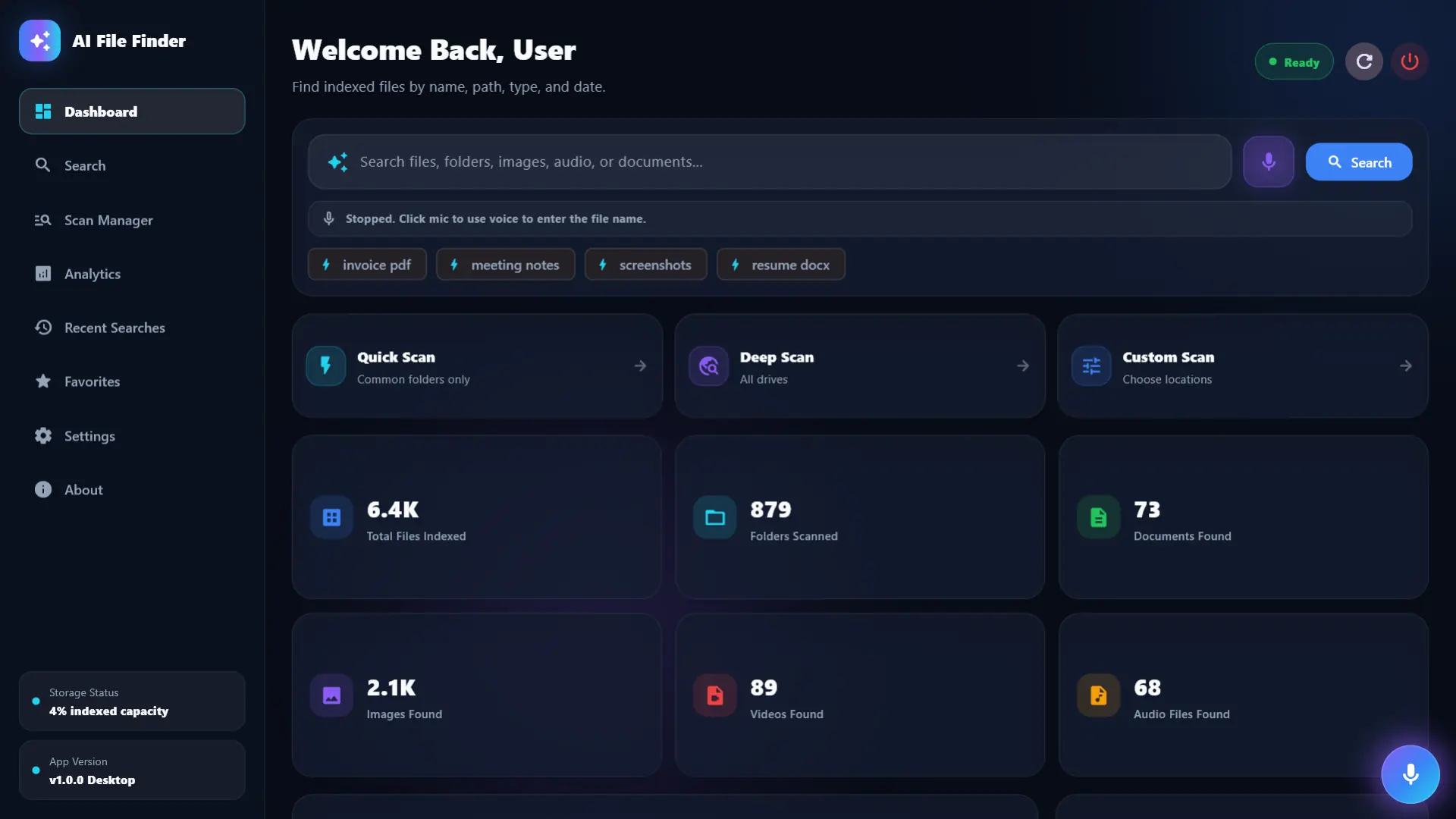
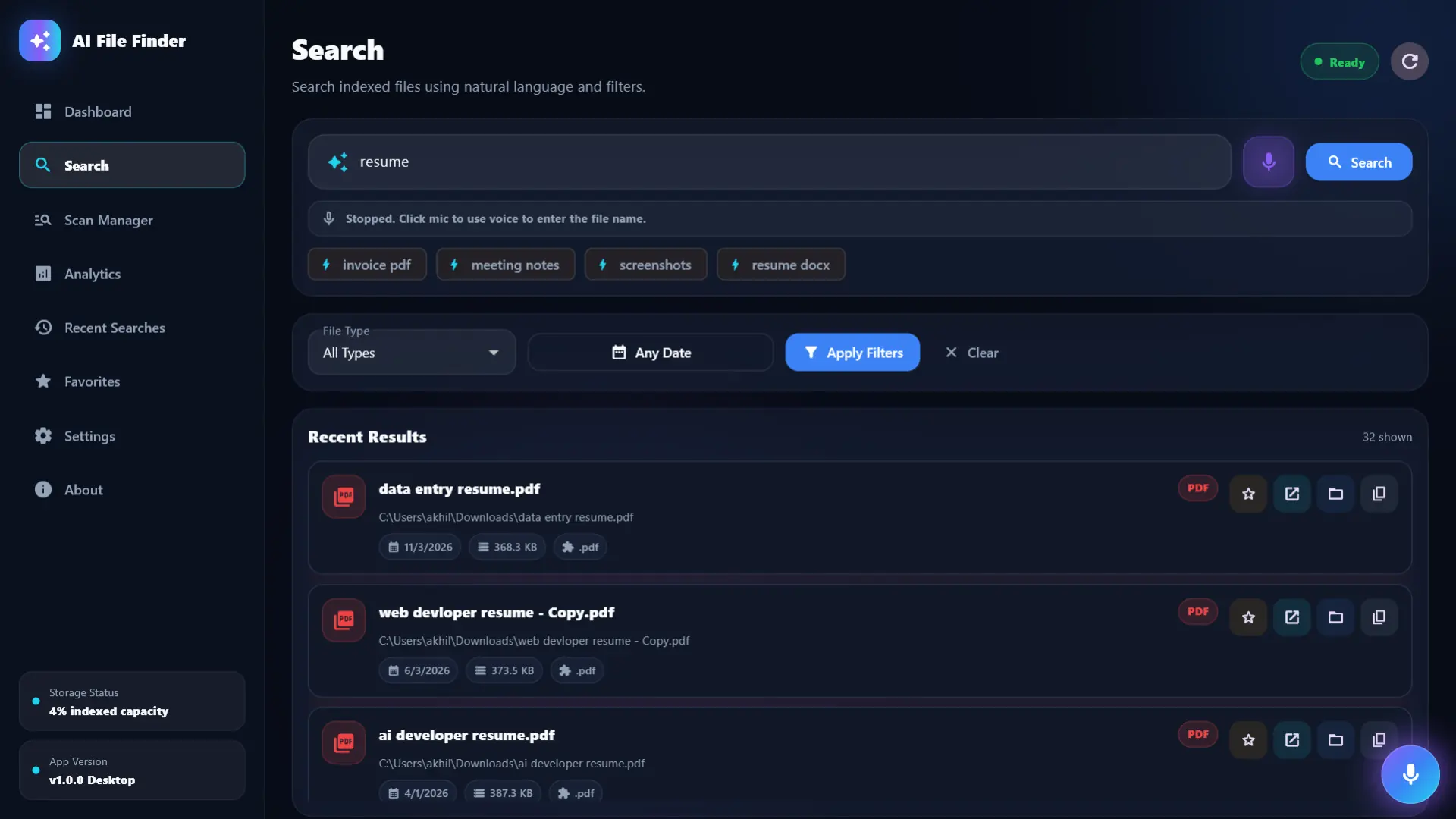
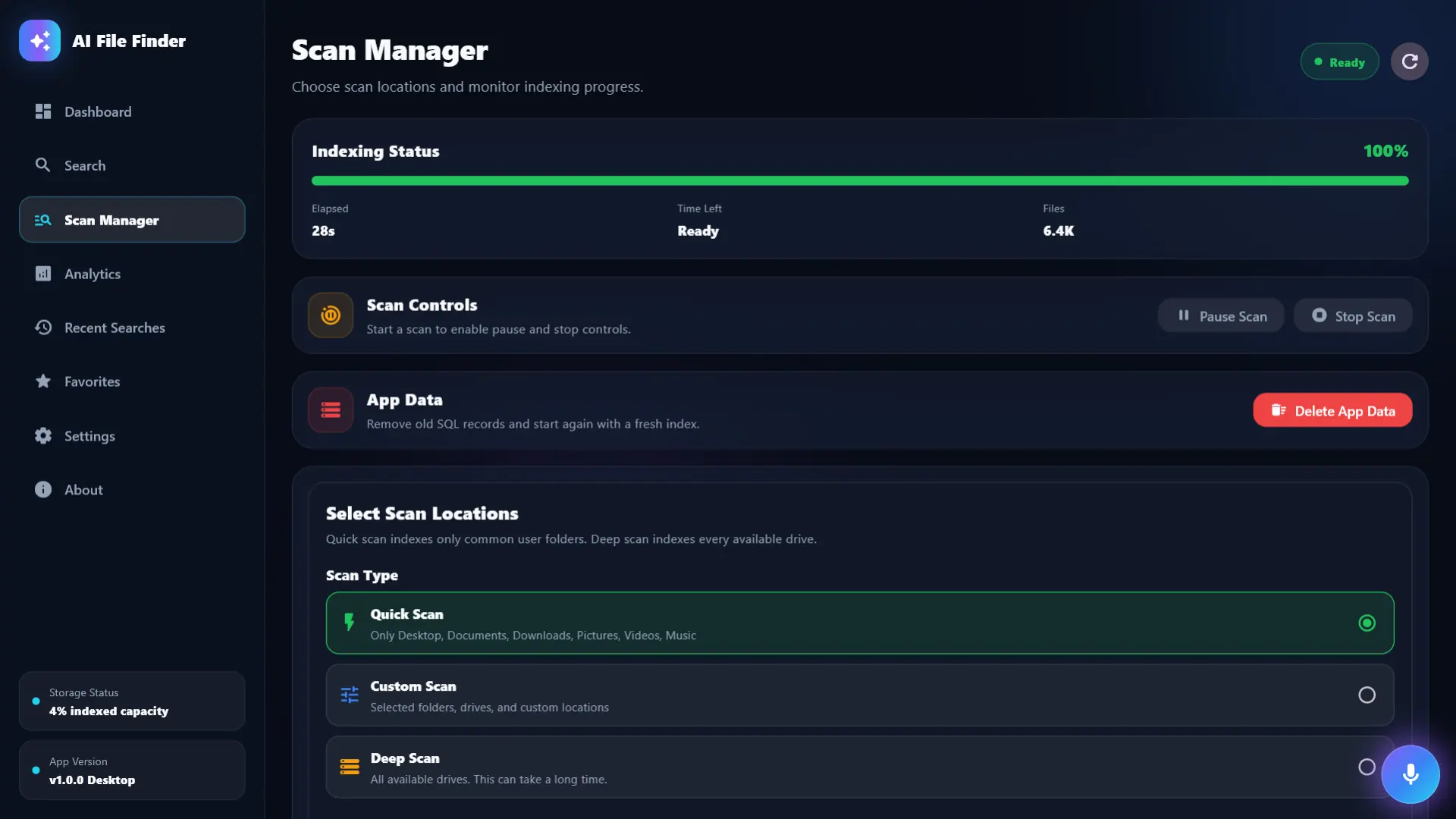
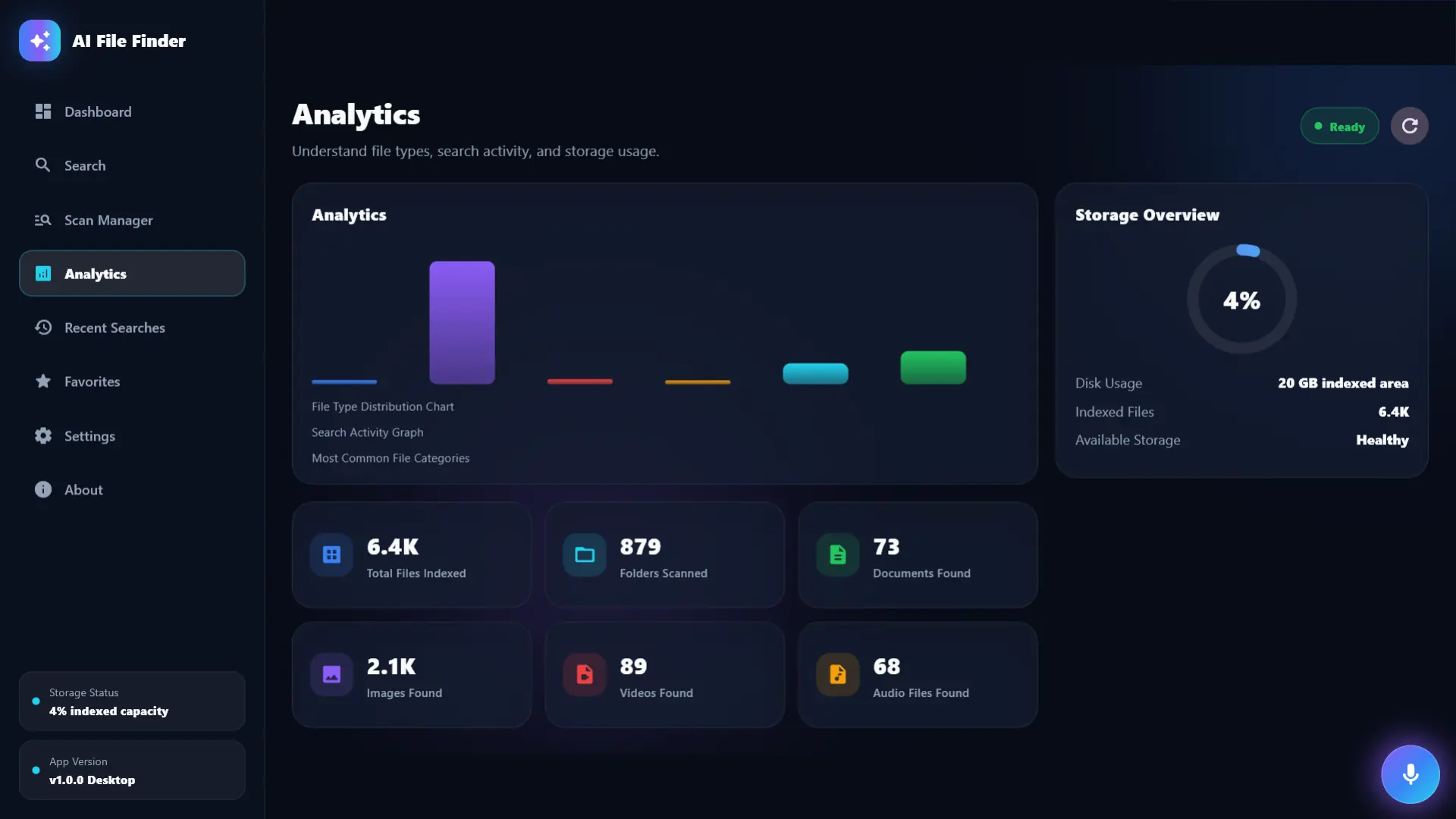
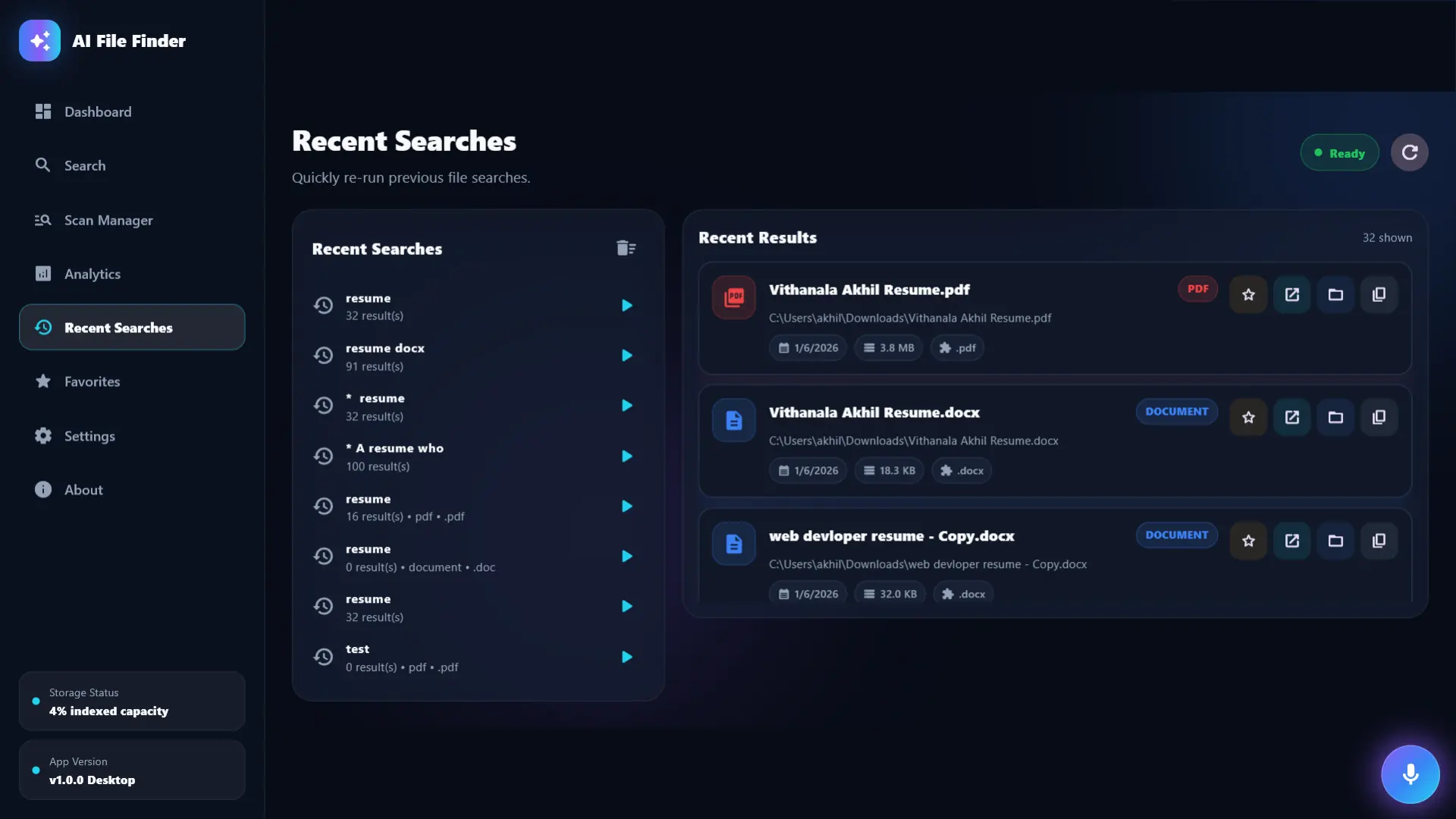
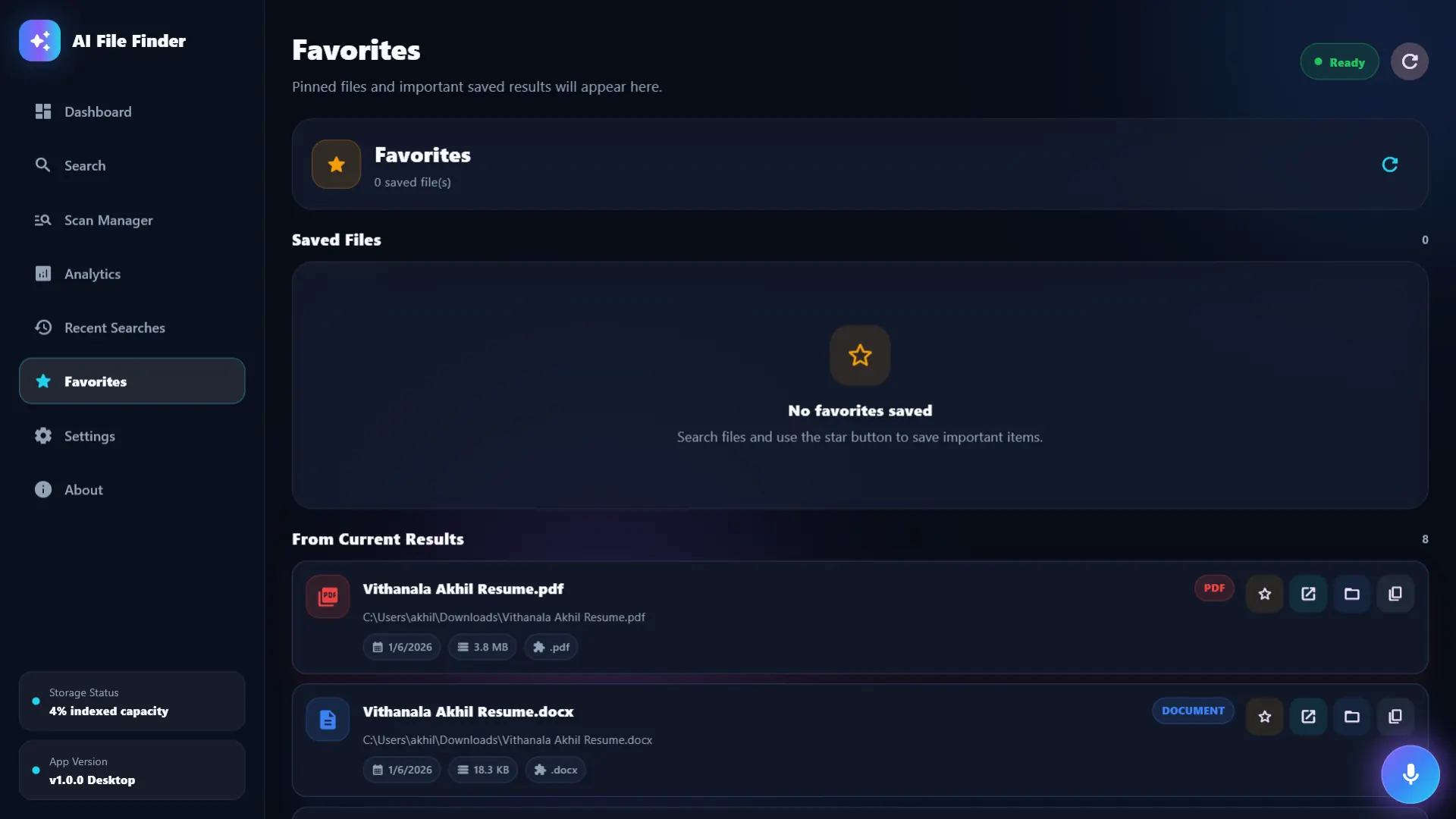
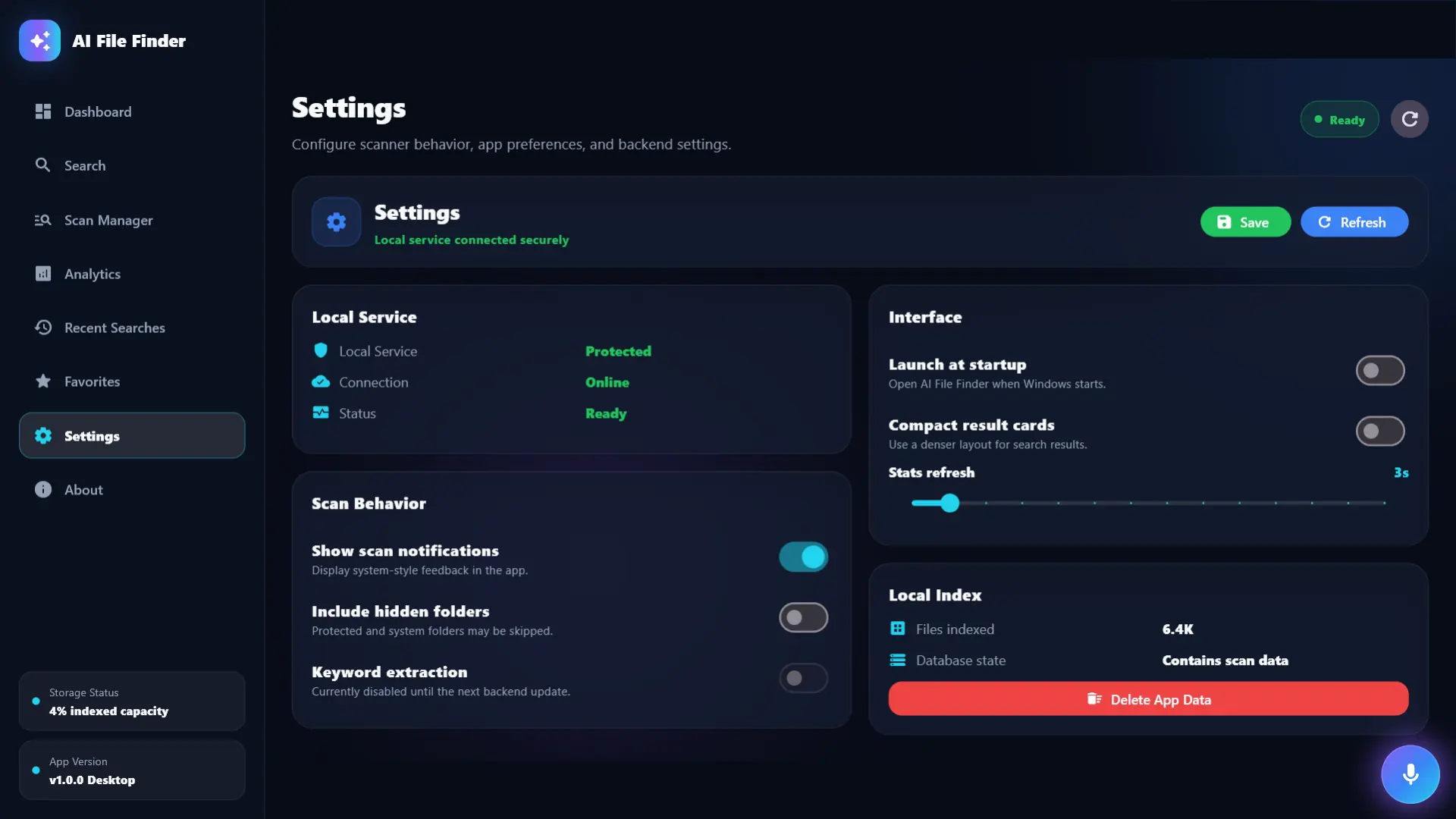
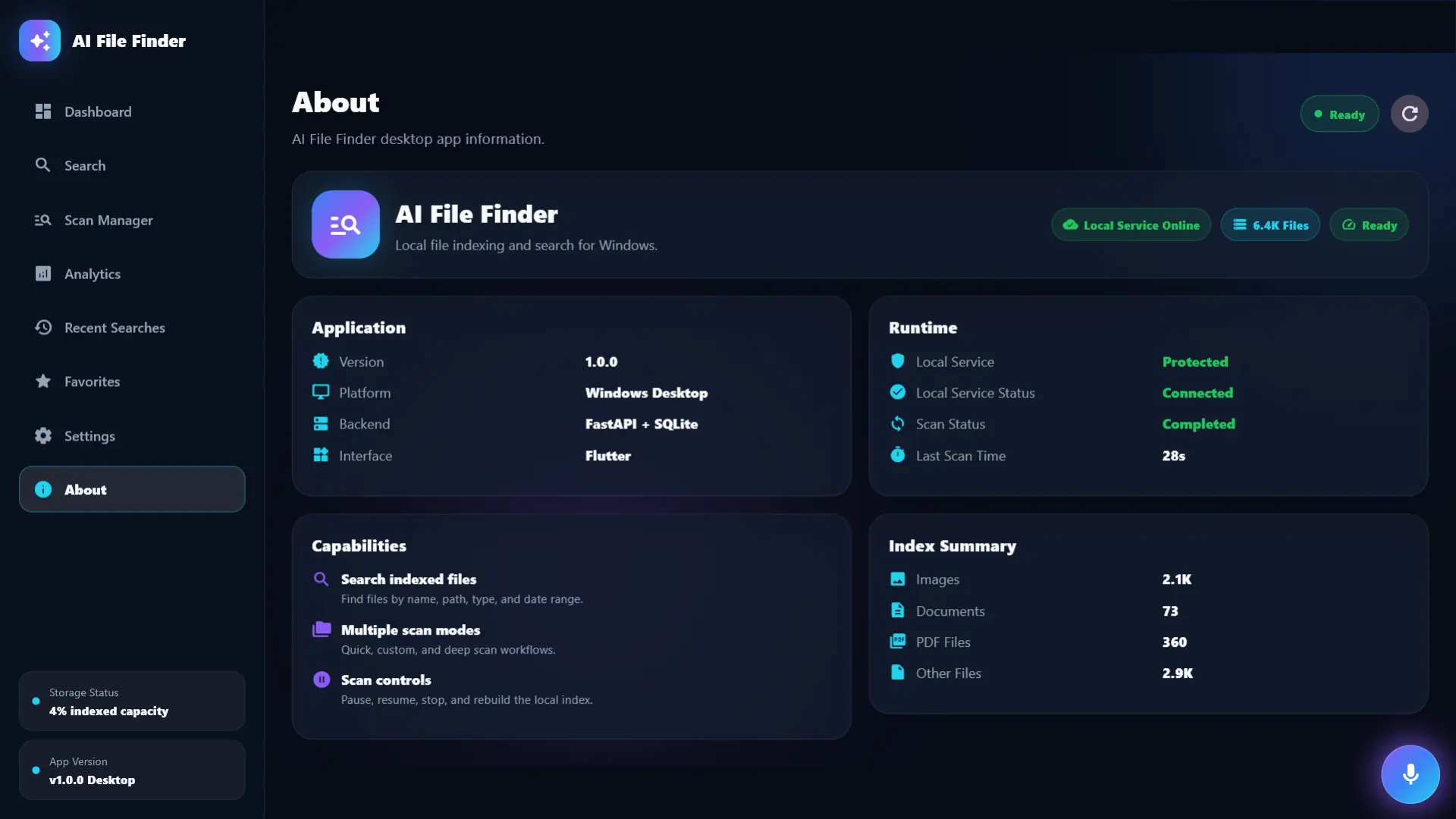
Explore the AI File Finder interface before you install. Preview its screens alongside the features and setup steps below.
AI File Finder is a Windows file search app with AI-assisted search, file indexing and scan management. Track indexing progress, manage scans and review search results in one workspace when you need to locate files on your computer.
People with large document, project or download folders who frequently forget exact filenames.
A user remembers an invoice topic but not its filename. After indexing the relevant folder, they search using the remembered words and review the closest results.
These are practical compatibility guidelines. The Microsoft Store listing is the final source for the exact supported Windows version, architecture and device availability.
Answers covering compatibility, pricing, downloads and support.
AI File Finder is a Windows file search app with AI-assisted search, file indexing and scan management. Track indexing progress, manage scans and review search results in one workspace when you need to locate files on your computer.
People with large document, project or download folders who frequently forget exact filenames.
Yes. AI File Finder is offered as a Windows app. Check the current Microsoft Store listing before installing because device, region and Windows-version availability can change.
AI File Finder is listed here as free. Check the Microsoft Store before installing for the current offer and regional availability.
Use the official Microsoft Store button on this page. Avoid unofficial copies, and confirm that the listing name and publisher match the details shown here.
Open the product guide or submit the VCR Technology support form with the app name, Windows version, device details and a clear description of what happened.
Product pages now include real app screenshots, clearer functionality sections, workflow steps and complete Microsoft Store links for all listed products.
View all release notesCheck the features and screenshots to see whether AI File Finder fits your workflow. For installation help or compatibility questions, visit our app support page.
The price shown here is provided by VCR Technology. Check the Microsoft Store listing before purchasing because regional pricing, taxes, trial eligibility or Store availability may differ.
Follow the product guide for workflow steps, common questions and the information to include when requesting support.
Open product guide